VTM CRM carries a business from the first text to a signed contract to recurring revenue in one place. No DocuSign, no separate texting app, no email tool, no invoicing vendor. One React frontend, one Postgres database, and Claude wired through the middle.

Every part of the business lived in a different tool with a different login and a different bill. A lead’s history was smeared across a pipeline app, a texting app, an inbox and a spreadsheet. Nothing talked to anything, and the data was never really ours.
One record per business. One database. Every channel, contract and dollar attached to the same customer, owned by us.
Four decisions shaped the whole build. They are the same decisions we bring to a client system, which is exactly why this case study exists.
One row follows a business the whole way: lead, client, project, recurring plan. Its texts, emails, contracts and payments all foreign-key back to it, so history is never scattered across four vendors again.
Claude does not sit off to the side in a chat box. It drafts the agreement, writes the follow-up, cleans the email and proposes the next action right inside the screen where the work happens.
E-signature, two-way texting, scheduling and invoicing became features, not monthly bills. The signing engine alone replaced a per-signature vendor with pdf-lib and a private storage bucket.
A stable core plus installable feature modules. The same foundation that runs our agency installs for a client in days, which is how it became a repeatable line of business.
If you want to understand modern app architecture, this is a clean example: a visual frontend, a thin serverless API, and a relational database with row-level security. Every screen in this case study is that same three-layer request.
The visual interface. A React single-page app plus a native mobile app, both hitting the same API.
Thin serverless functions, one file per endpoint, no server to babysit, scales on demand.
The source of truth. Postgres tables, authentication and file storage in one managed platform.
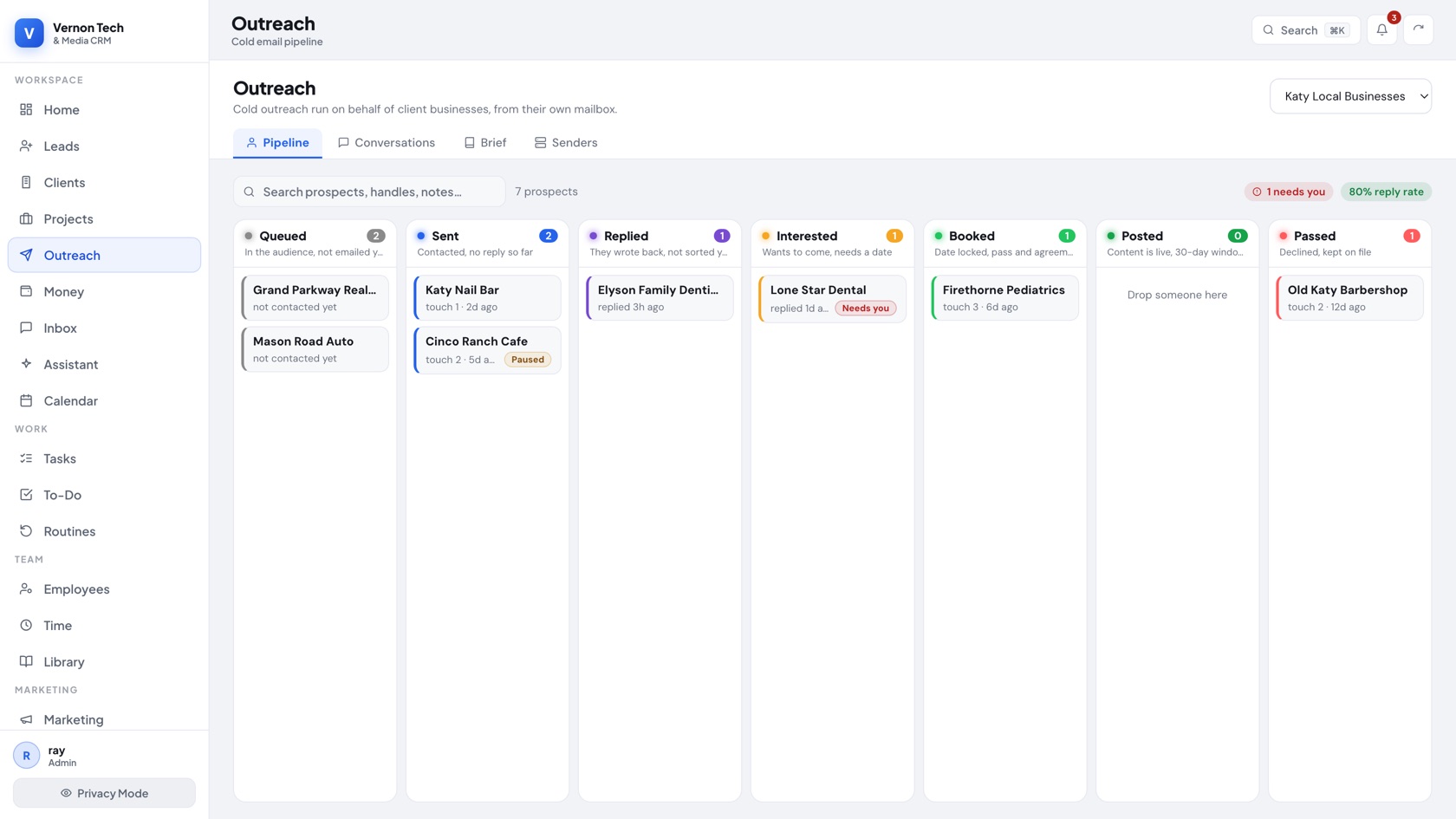
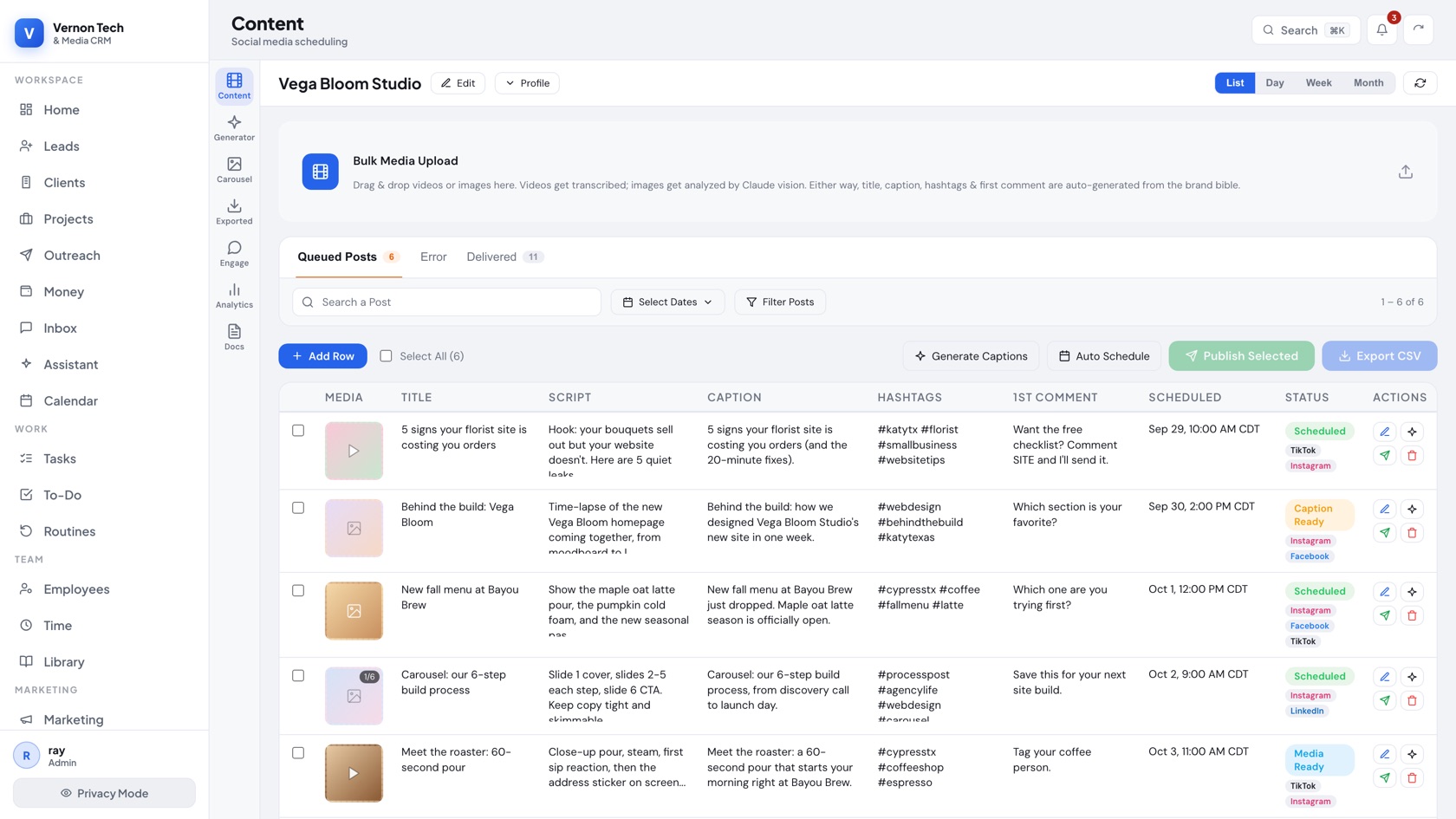
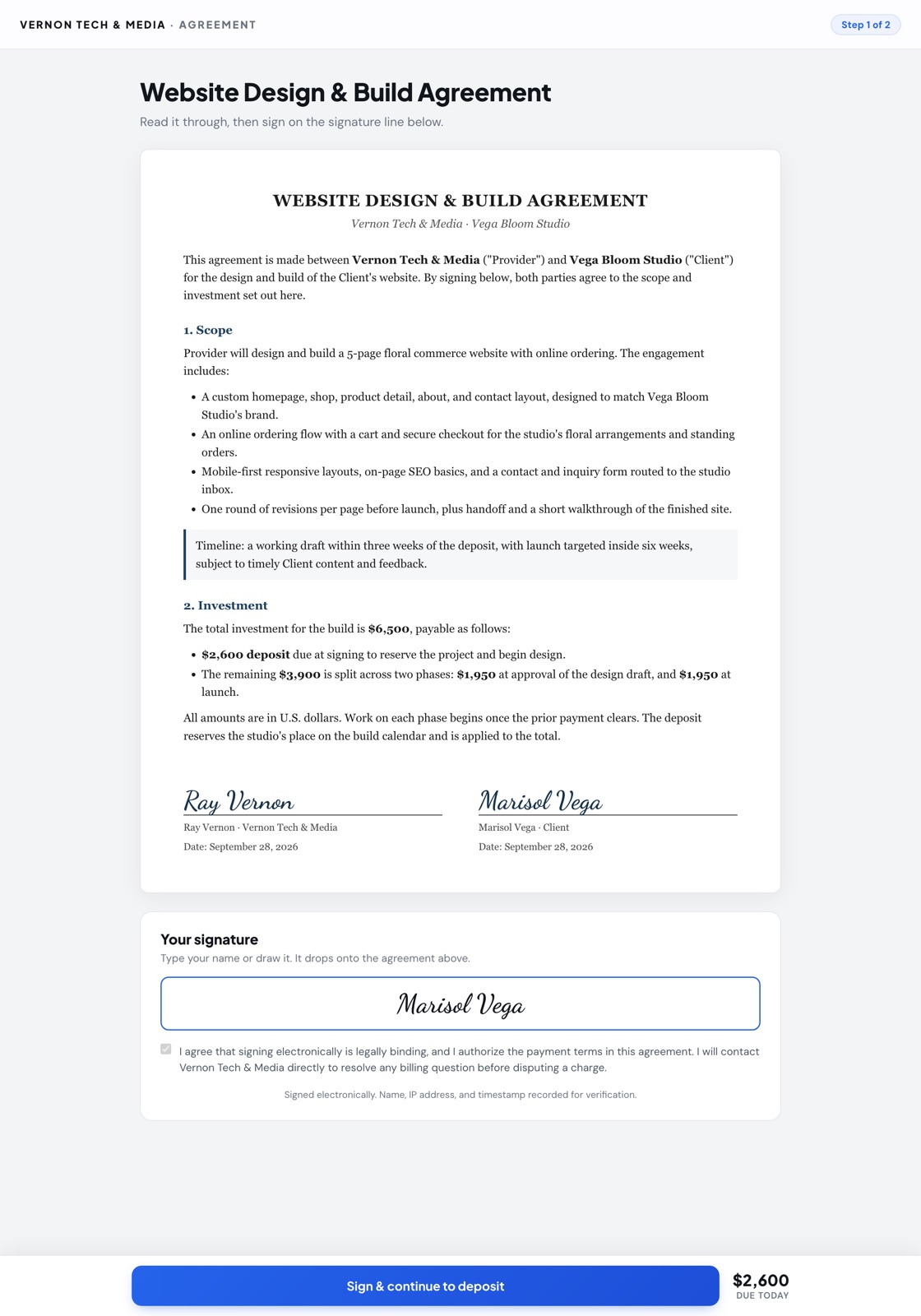
These are the real screens, rebuilt faithfully from the app with invented customers. Every one reads and writes to the same Postgres tables described above.
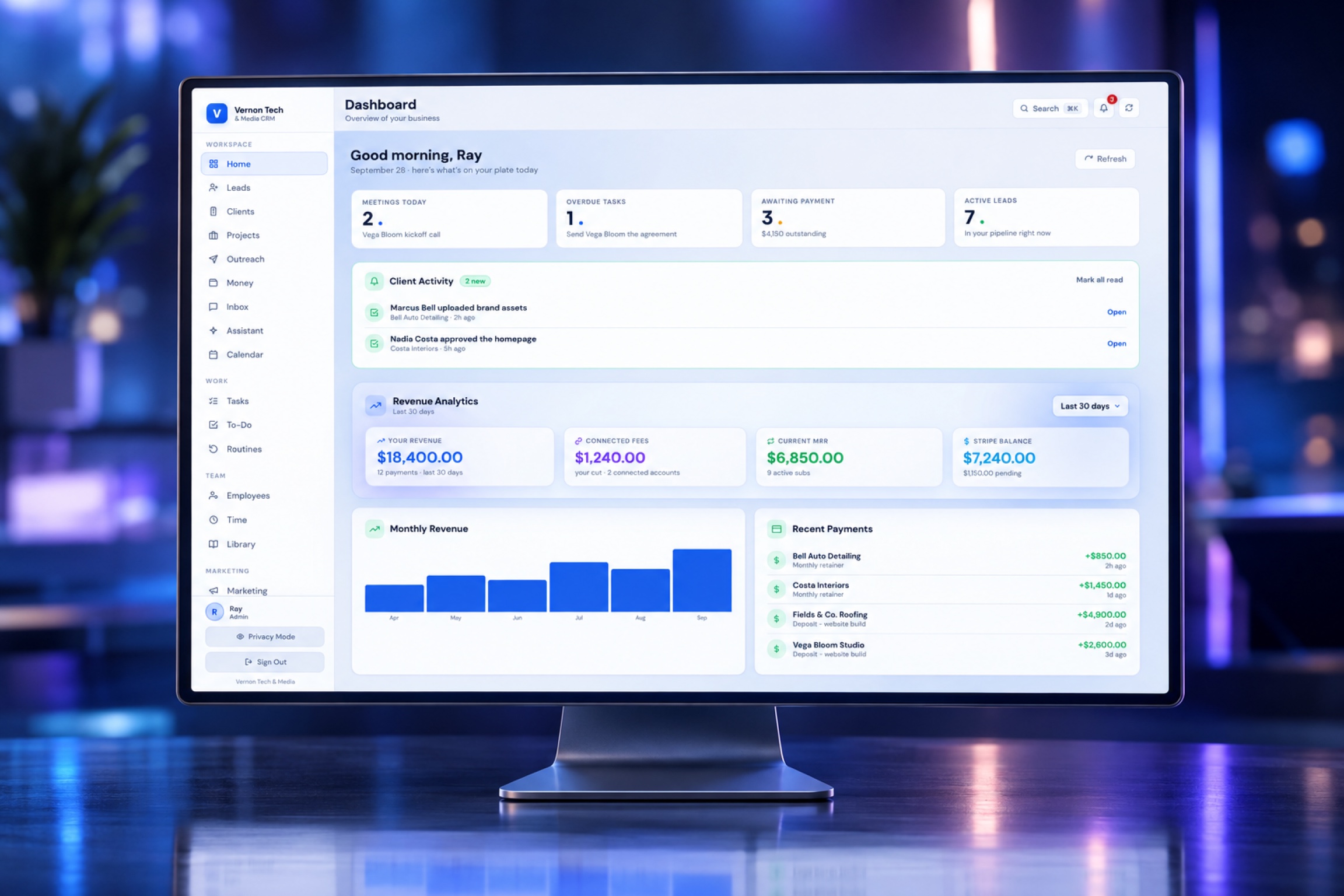
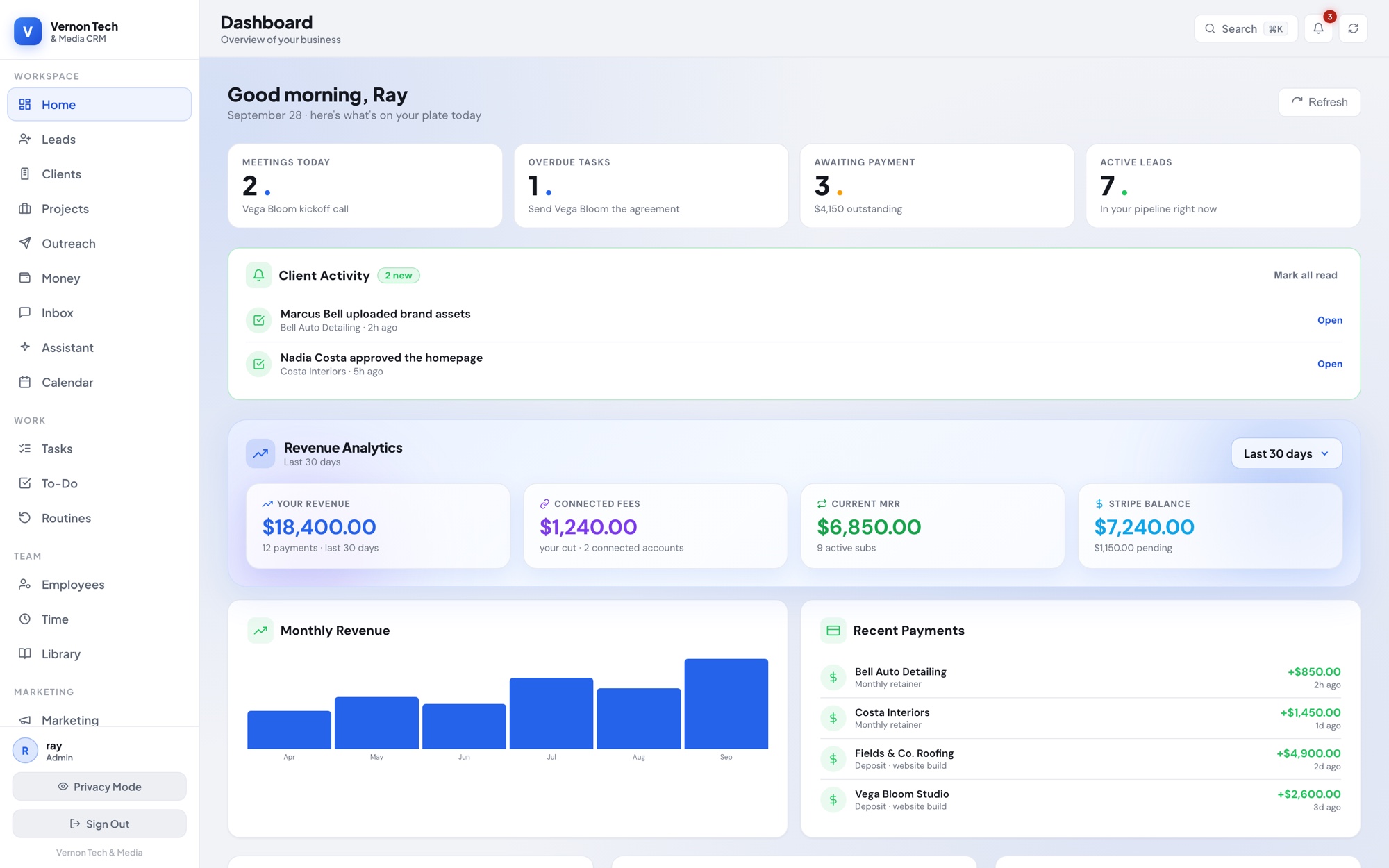
A role-aware home: today’s meetings, overdue tasks, money owed and active leads across the top, then live Stripe revenue, MRR and recent payments, with the week’s calendar, the team to-do and active projects underneath.

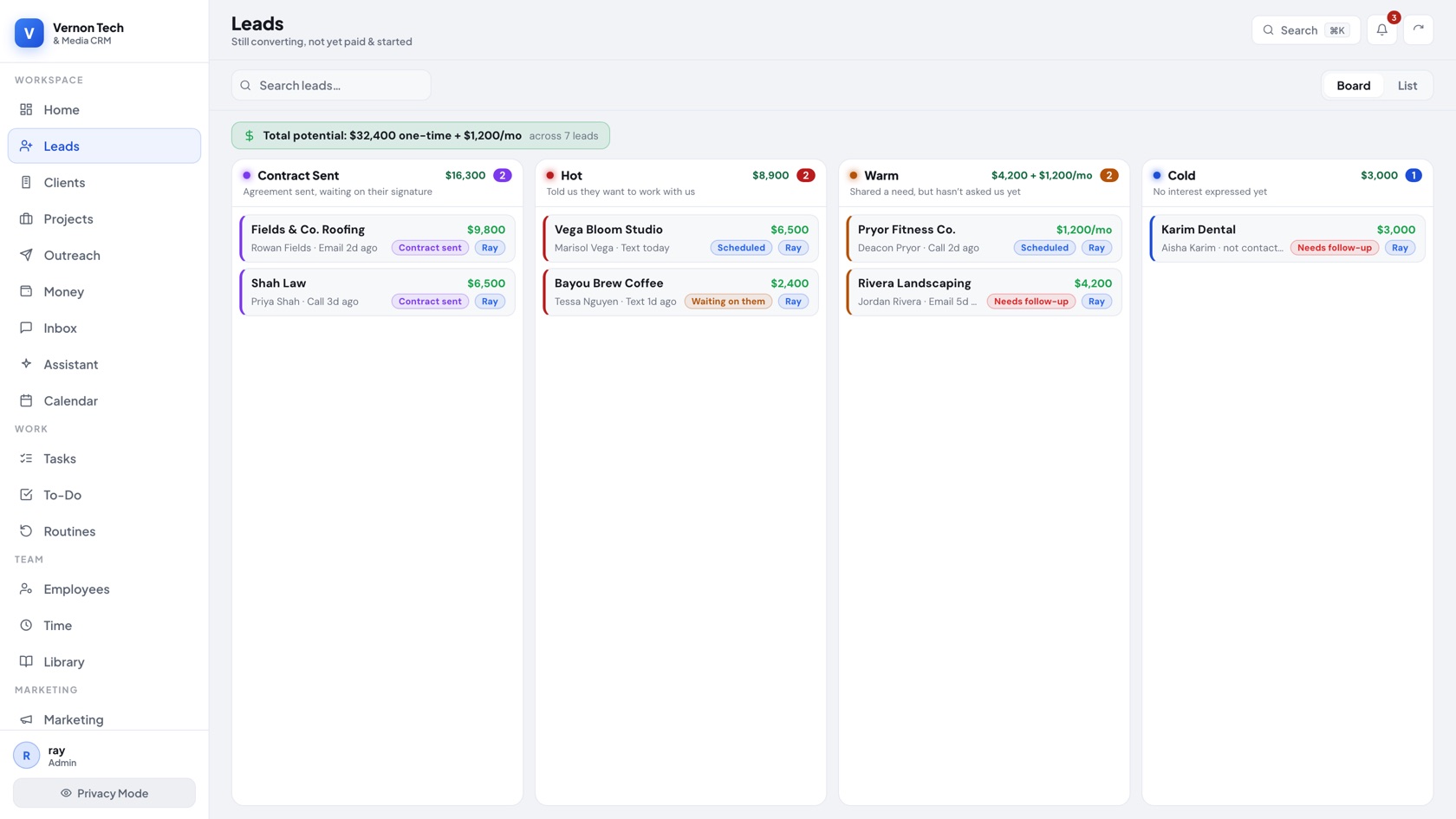
Leads sit on a drag-and-drop board by temperature, each card showing the deal size, the source, and who owns it. The moment a lead signs, the same record becomes a client. No re-entry.

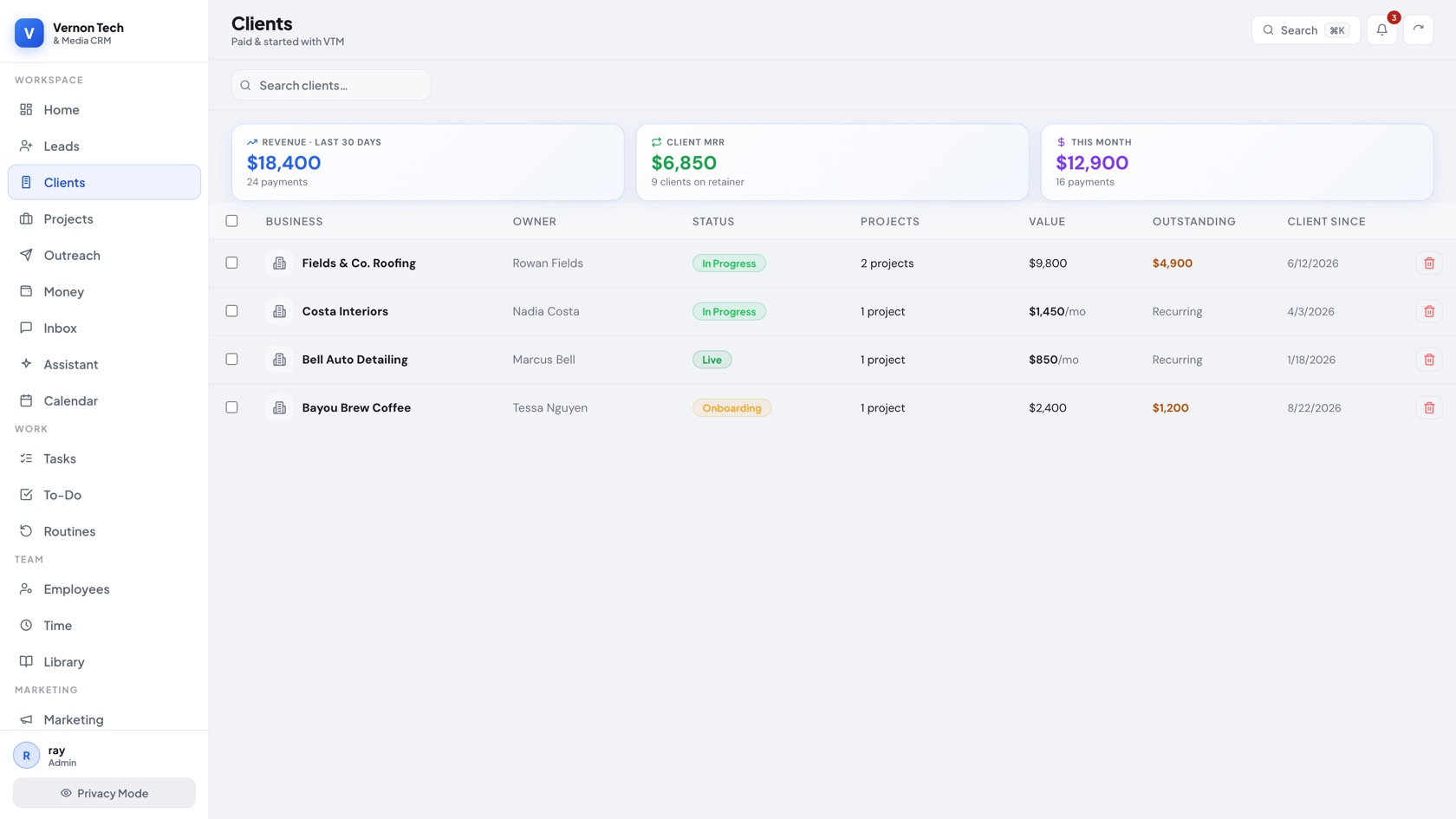
Once a deposit lands, the lead quietly becomes a client here: plan value, outstanding balance, project count, and history on one row, with revenue rolled up on top.

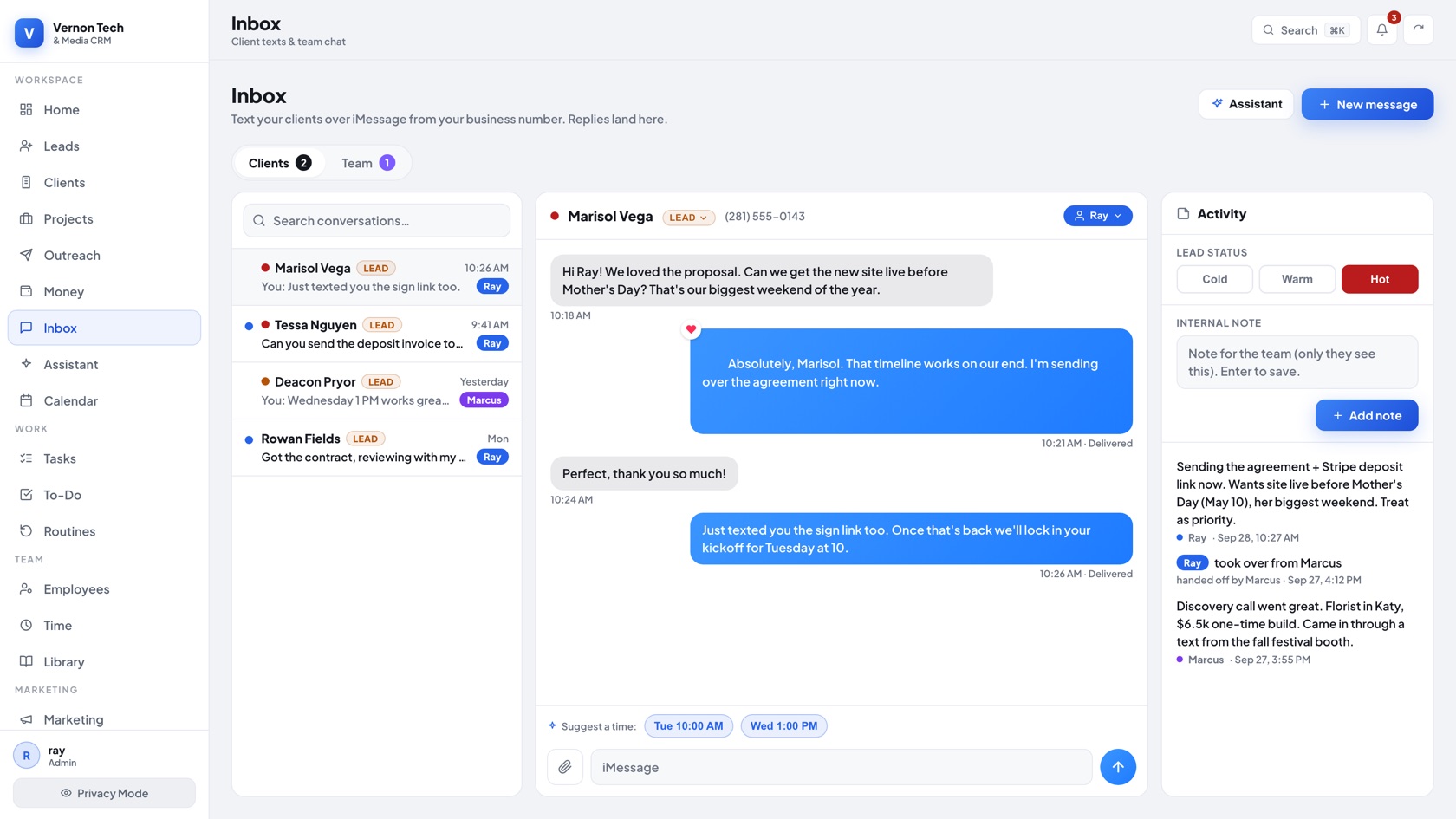
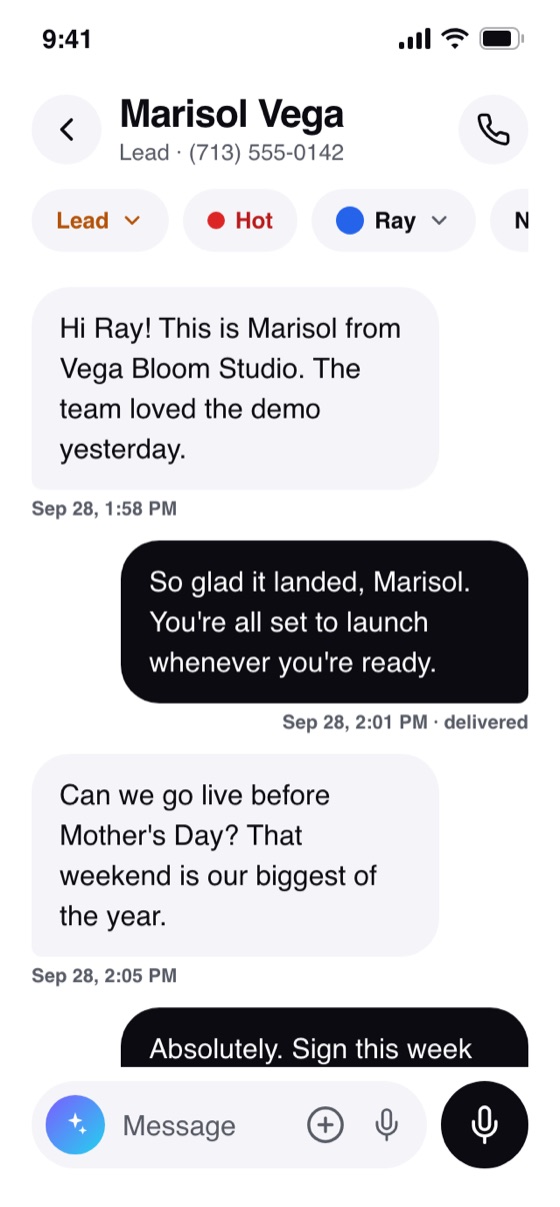
Text clients from the business number through a Mac bridge: threads, tapbacks, attachments and transcribed voice notes, all attached to the client record. If iMessage ever fails it falls back to SMS. Not Twilio.

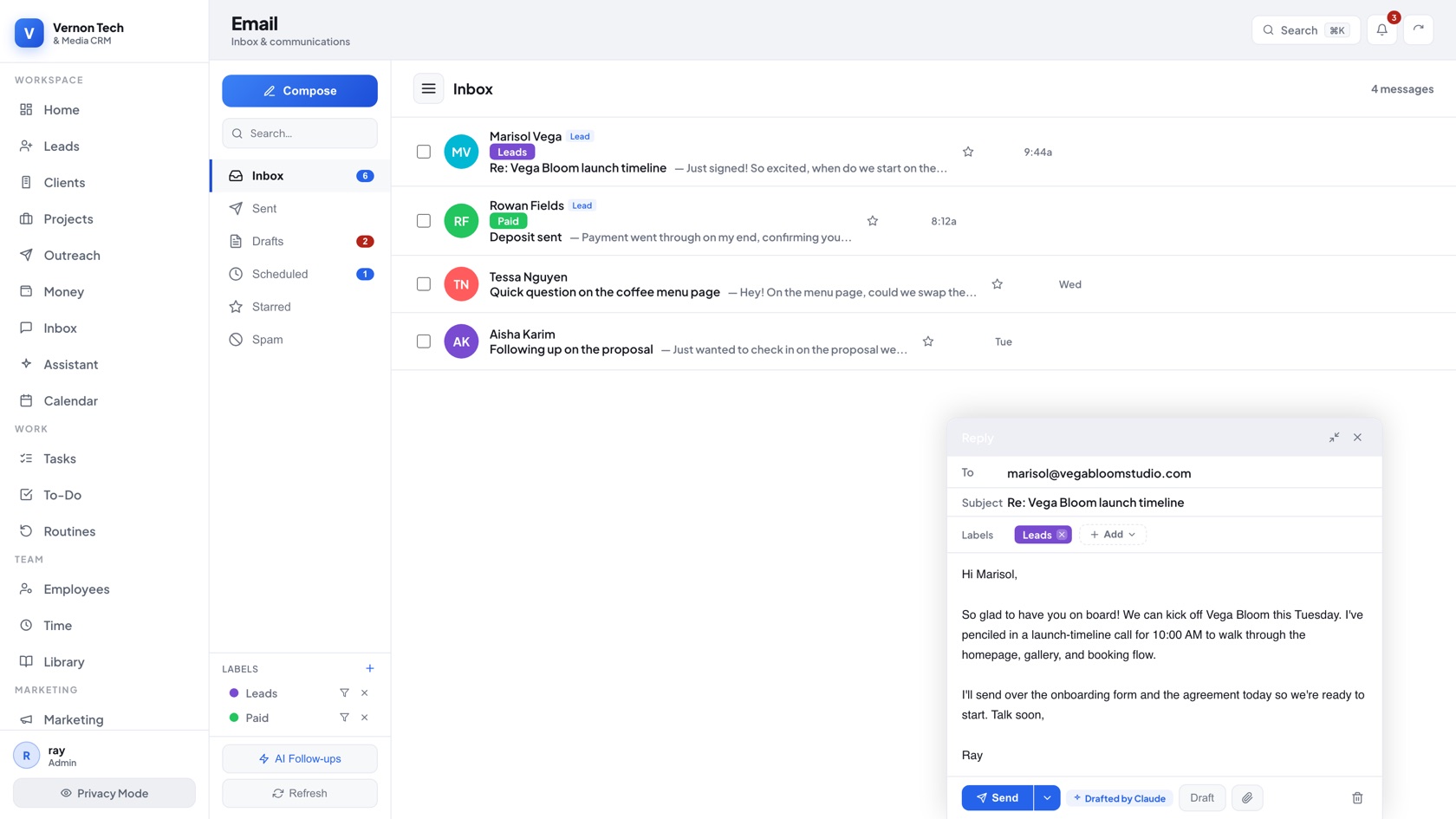
Connect Gmail once and the CRM becomes a full mail client: real threads, two-way label sync, scheduled send, and a first-draft reply Claude writes per lead. Incoming mail is cached so it opens instantly.

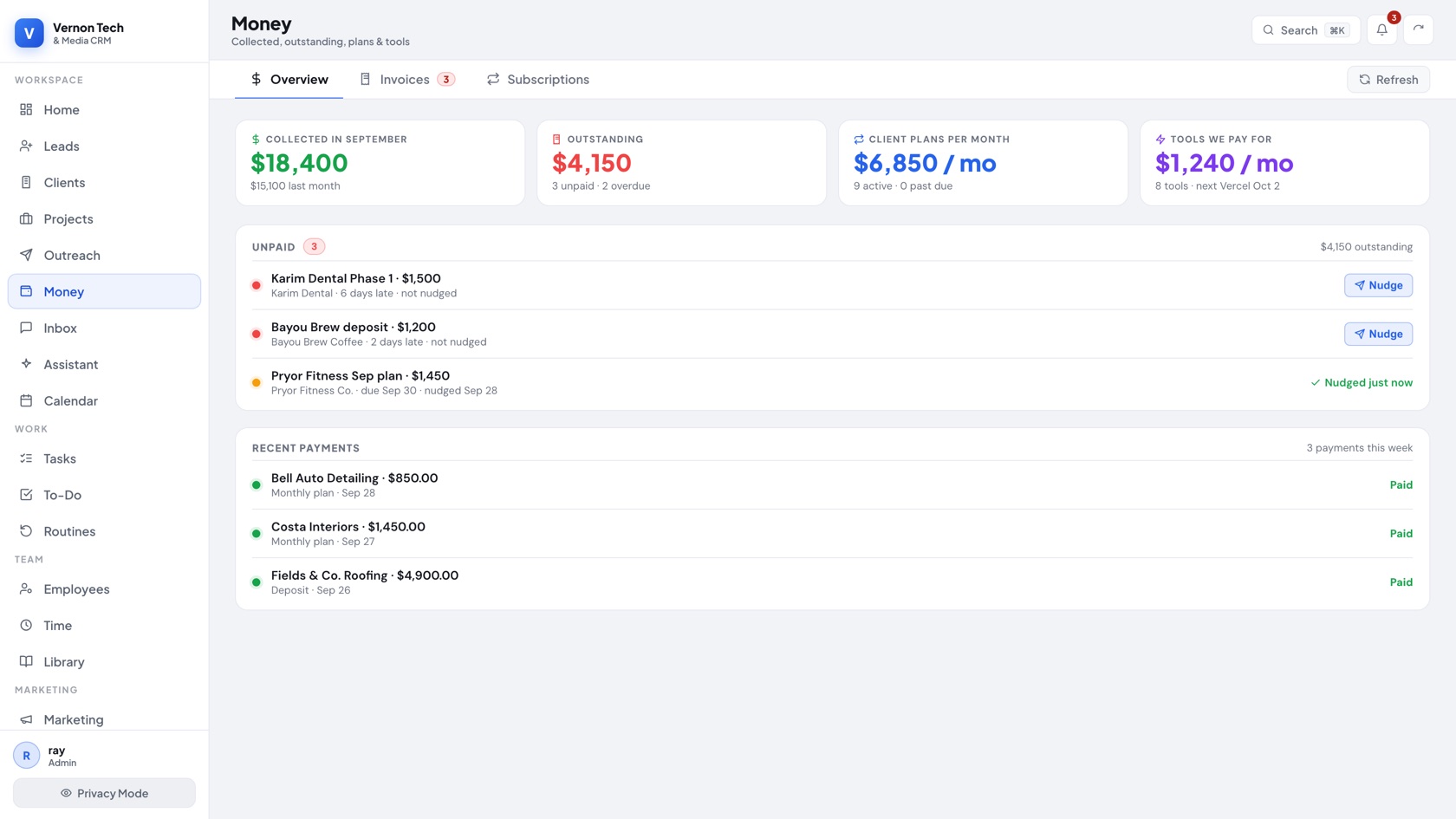
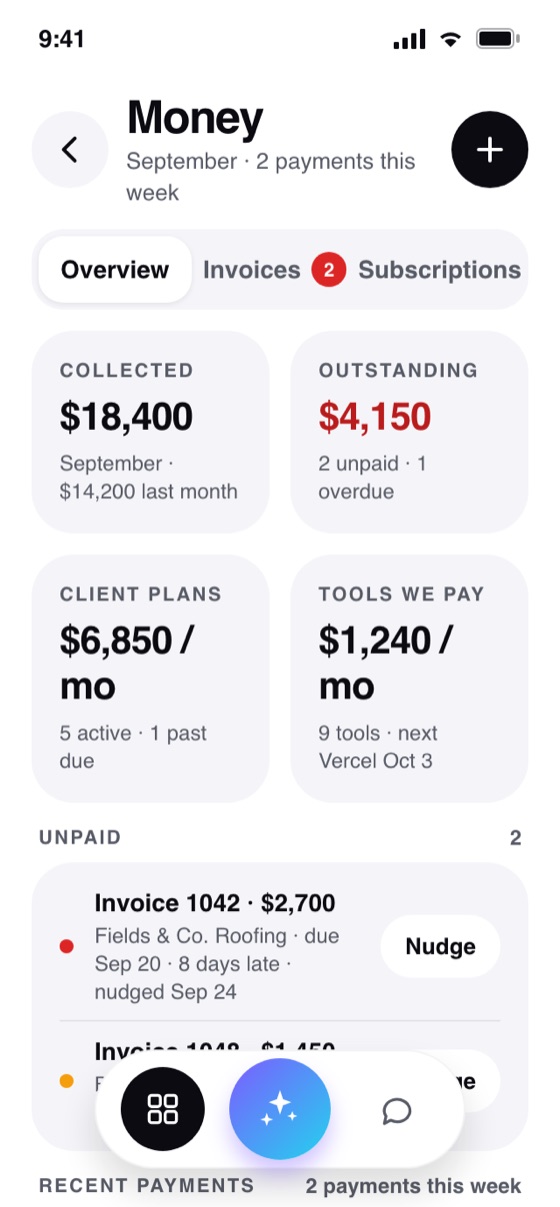
Invoices, subscriptions, deposits and Stripe Connect fees roll up here. Overdue balances surface at the top with a one-tap nudge that texts and emails the client, then flips to “nudged” so nothing gets chased twice.

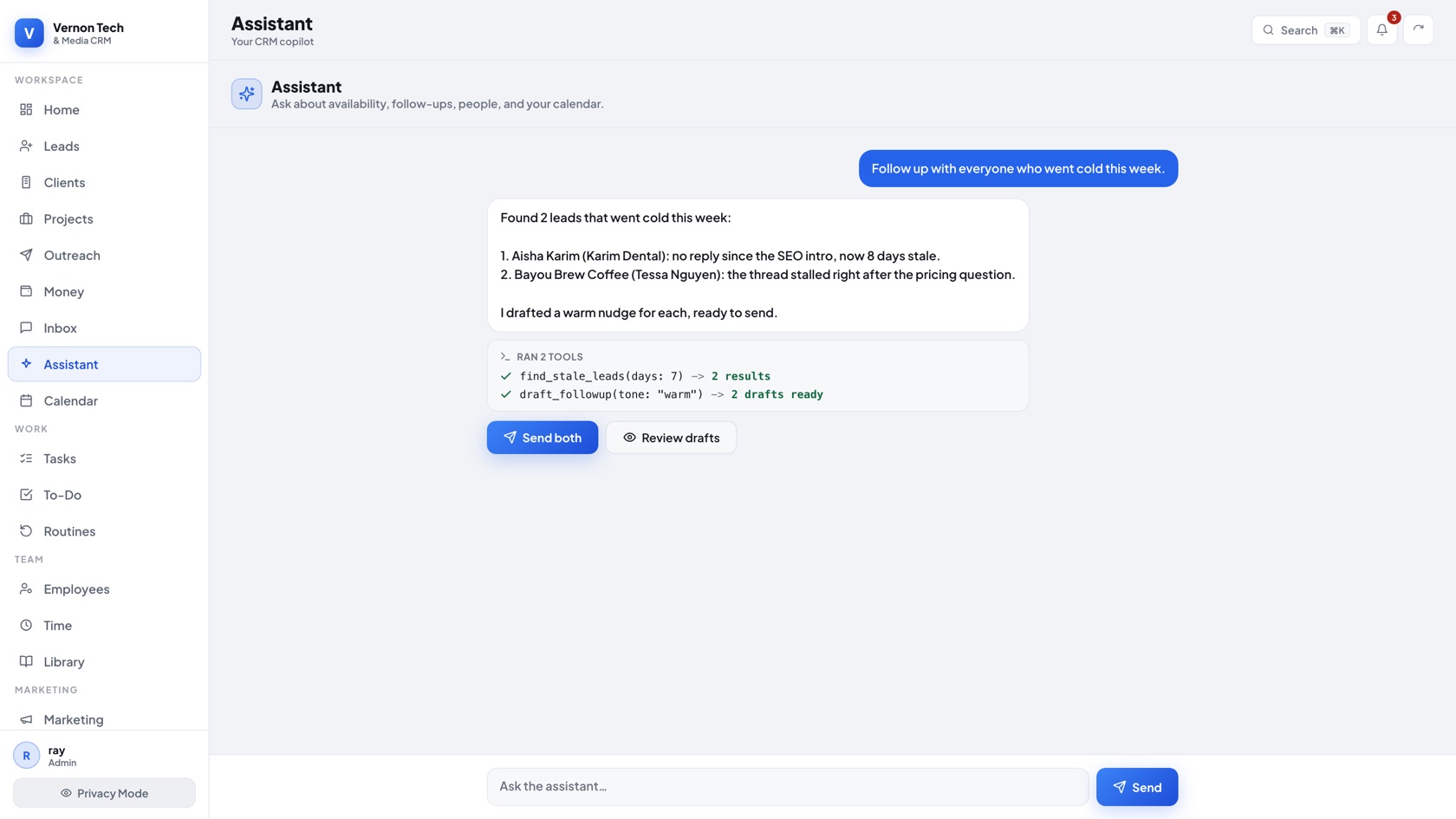
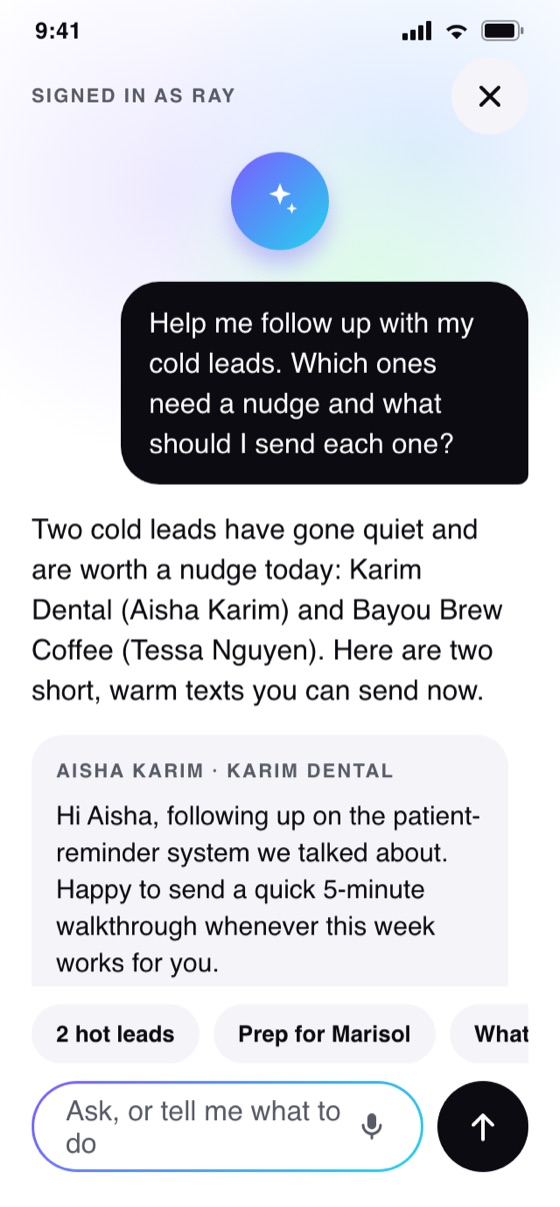
It has real tools over your live data: find the leads that went cold, draft each follow-up, and propose the action for you to approve. Ask it to chase cold leads and it comes back with the drafts and a button, not advice.

Prospects move across a seven-stage board while an agent sends from your own mailbox, reads the replies, classifies them, and pauses automation the instant a human needs to step in.

Draft posts, let AI write the captions and build carousels, then schedule across every platform from one calendar. Email marketing runs on the same contact records, so the audience you sell to is the one you nurture.

Claude drafts the agreement from the deal. The client opens a no-login page, signs by drawing or typing, and pays the deposit. The server generates the signed PDF, stamps an IP-and-timestamp certificate, files it in a private bucket, and creates the client’s portal login, all in one request.

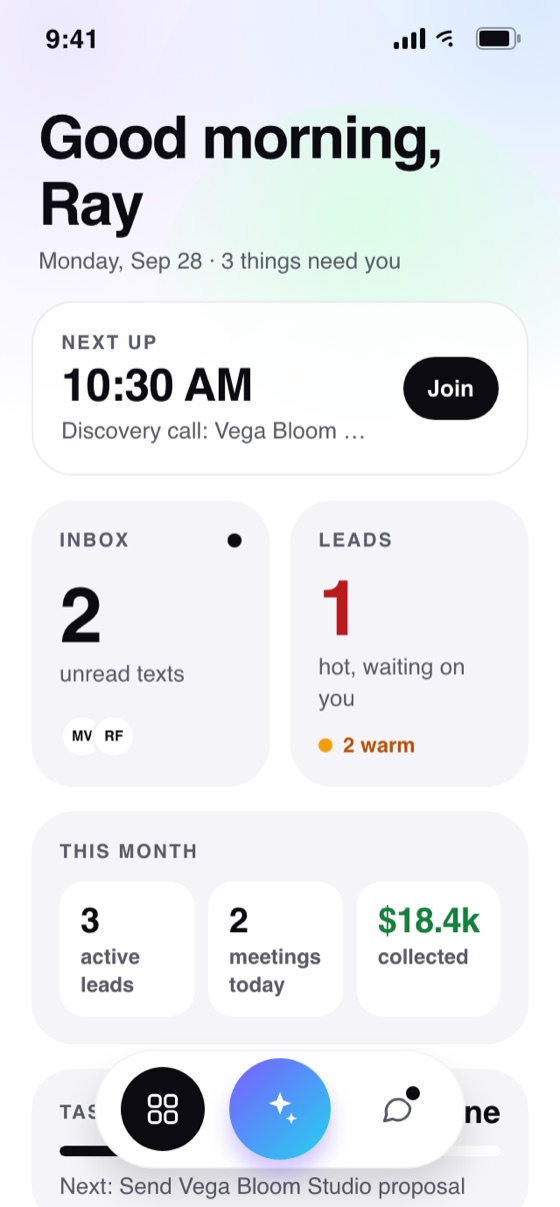
A React Native app on TestFlight puts the inbox, the money, the agreements and the assistant on the phone, hitting the same API. Four real screens:


Replacing an eight-tool stack with one owned system frees $4,236 a year in subscriptions and 112.5 hours of hands-on work (worth $5,625 at $50/hr) per 100 clients, which is $9,561 a year every year after the one-time build, and $23,283 over three years.
| Action | By hand | In the system | Saved / yr |
|---|---|---|---|
| Send a contract for e-signatureExport the agreement to PDF, log into DocuSign, upload the file, drag in 5 to 8 fields (signature, initials, date, name, amount), add the signer name and email, type a message, preview, send. Then check back later to see if it was signed and send a reminder. Deposit and portal access are handled separately. | 15 min | 4 min | 18 hrs |
| Text a clientSwitch to the phone app, search for the contact, switch back to the CRM to remember where the project stands, switch again, type, send. Nothing is logged against the client record. | 2 min | 1 min | 10 hrs |
| Invoice and chase a late paymentOpen QuickBooks, create or find the customer, key in the line items and amounts from the signed agreement, send the invoice. Then run the aging report, notice it is late, write a reminder email, notice again a week later, send a second reminder, text the client. | 12 min | 2 min | 17 hrs |
| Schedule a meeting and prep for itSend the Calendly link, watch for the booking, confirm the Meet link landed on the calendar, then before the call pull up the client across the CRM, the invoice tool and the notes doc. Take notes during. Afterward type them up and paste them somewhere findable. | 10 min | 3 min | 12 hrs |
| Write a follow-up email to a warm leadOpen the lead, re-read the history to remember what was discussed, decide on an angle, write the email from a blank box, send, then log it so the next follow-up knows it happened. | 6 min | 1.5 min | 23 hrs |
| Onboard a new clientCreate the contact and deal in HubSpot, create the customer in QuickBooks, add the signer in DocuSign, spin up the project page in Notion, add them to the Mailchimp audience. Same name, email, phone and address typed five times, with five chances to typo it. | 15 min | 1 min | 23 hrs |
| Convert a lead into a clientCopy the lead's details out of the lead tool and re-key them as a customer record, then reconcile which of the two is now the source of truth. | 6 min | 0 min | 10 hrs |
| Total hours given back per year | 113 hrs | ||
Fires the scheduled follow-up on a lead or client so nobody goes cold because a human forgot.
Sends appointment and task reminders to the client and to the team before the thing happens.
Pulls inbound email into the right client record so the thread lives with the deal instead of in an inbox.
Sends queued outbound email on schedule with retries, so a failed send is caught instead of silently lost.
Works through the queue of AI lead audits, generating the prospect's report without anyone sitting there waiting on it.
Follows up with prospects who requested an audit, on its own schedule.
This is the same team, the same stack and the same thinking we bring to a client build. If your business is stitched together across a dozen tools, we can consolidate it into one system you actually own.
Build one for your business →